Most businesses rely on third-party platforms and off-the-shelf components when building their systems, and in many cases that is a reasonable choice. They reduce time to deployment, require less initial investment, and cover standard requirements well. The limitations become apparent when customization is required. The codebase is not yours, the architecture was designed for the broadest possible audience, and meaningful changes often require workarounds or are simply not possible.
We chose a different approach.
We built our own CMS from the ground up with the simplest design possible and a minimal codebase we have full control over. Not because third-party solutions lack merit, but because owning the architecture gives us the flexibility to deliver precisely what a client needs without inheriting the constraints of someone else's product decisions. Every component is built to be customized and every part of the system is designed to be maintained without friction.
The Admin Dashboard: Everything In One View
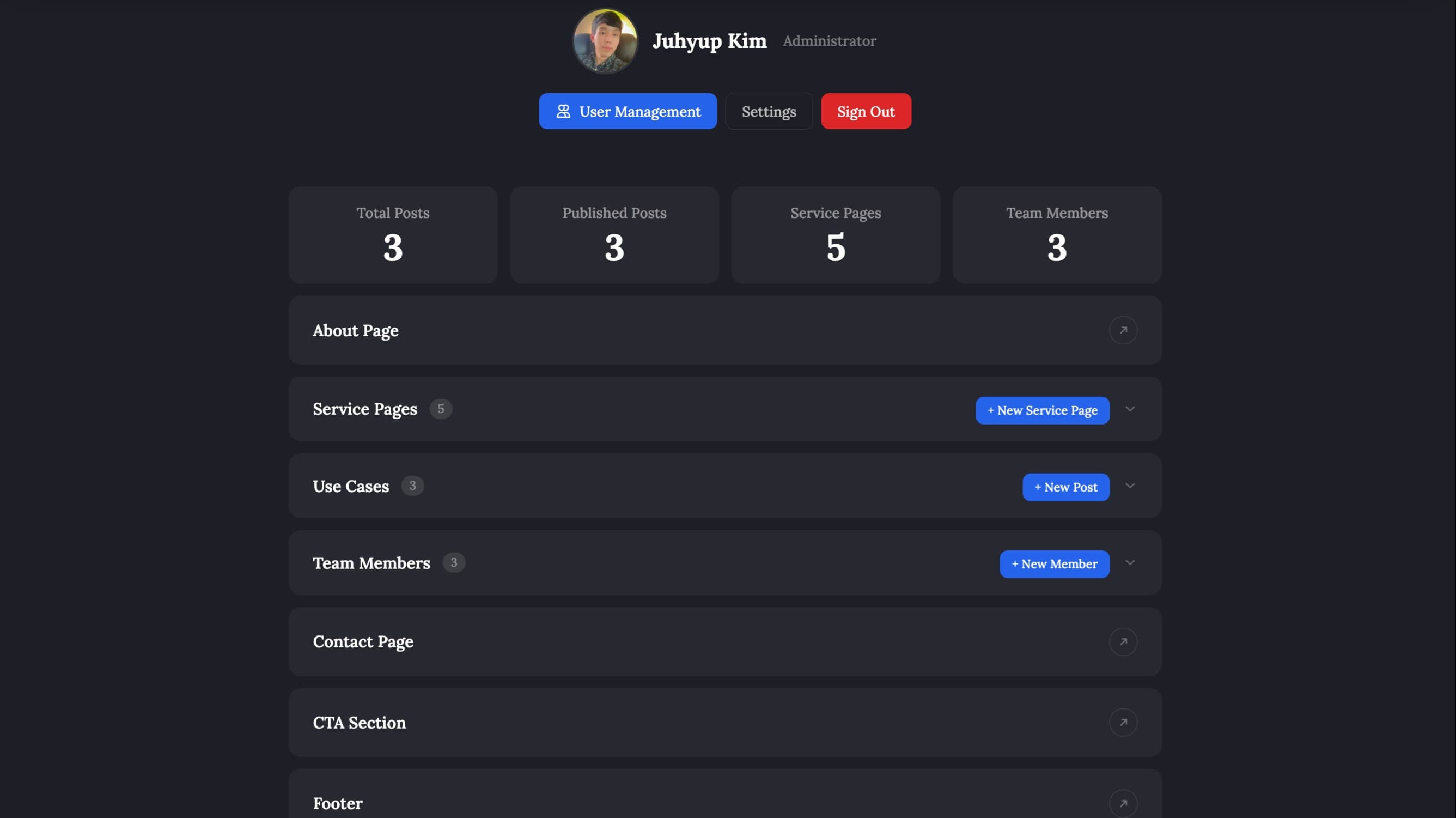
When you log in, you land on a clean dashboard that shows you exactly where things stand at a glance:
Live stats showing total posts, published posts, active service pages, and team member count, all updated in real time
Quick access links to every section of the site with no digging through menus
Expandable sections for Service Pages, Use Cases, and Team Members so you are not overwhelmed
From here, you can jump into any part of your site and make changes in minutes.
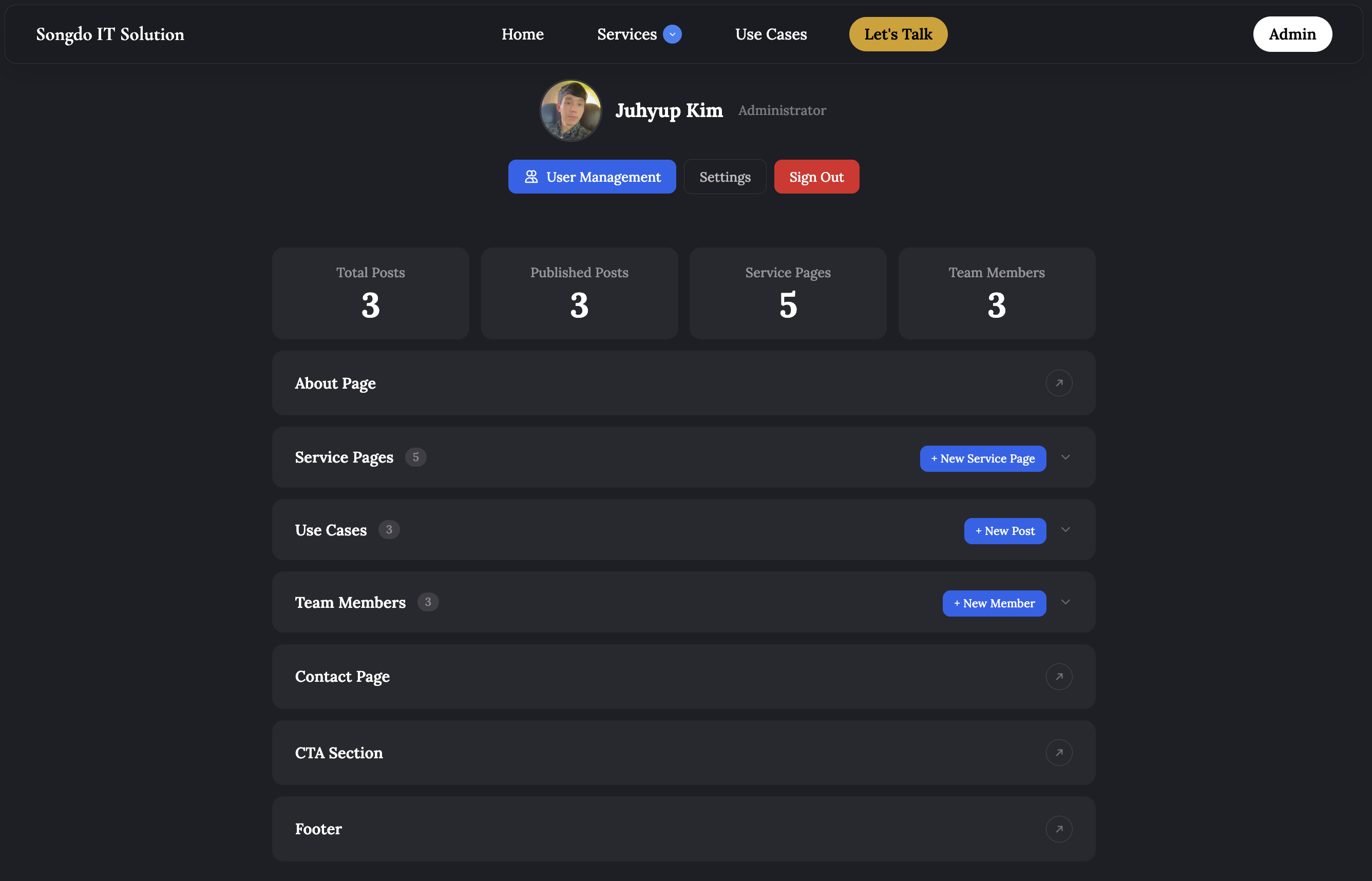
Figure 1: Our Main Admin Dashboard.
About Page
Most about pages are hardcoded. Ours isn't. Every section is a component we manage from our admin. Add it, edit it, reorder it by drag and drop, or remove it entirely. No redeployment, no waiting.
Here are a few examples of the components we use:
A full-width hero with background image and headline.
A use cases carousel that automatically surfaces our latest published posts.
A team section that pulls our published members in automatically.
A values grid where each card has an editable title, description, and background color.
Every component supports adding, editing, deleting, and drag-and-drop reordering. Components with photos include full CRUD operations and built-in image optimization.
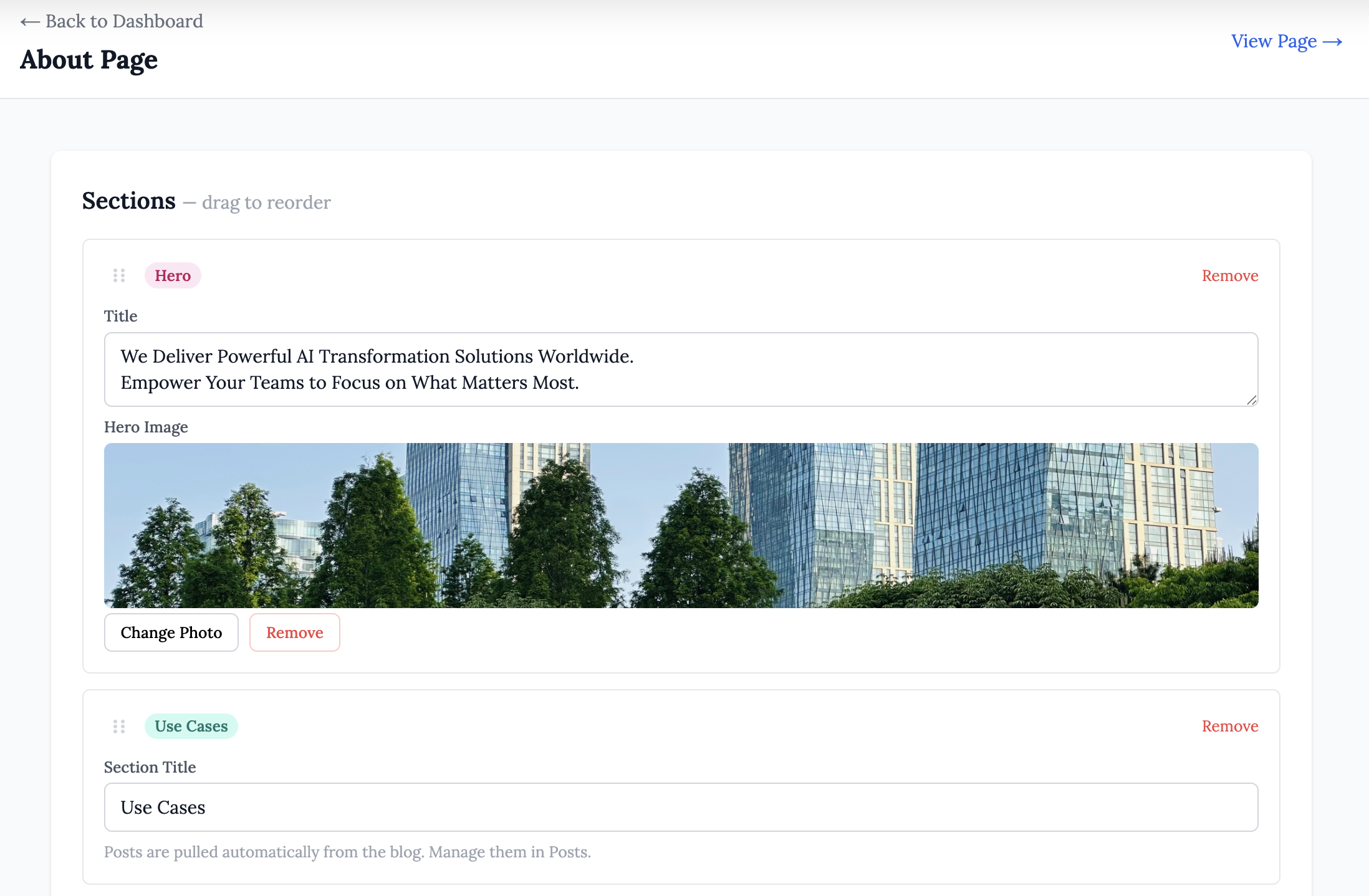
Figure 2: Example of Managing our About Page Directly from the Admin.
Service Pages
Most service pages are built once and never touched again. Ours are not.
Every service gets its own dedicated page, fully independent. Create it, edit it, or take it down without affecting anything else on the site. No redeployment, no waiting.
Each page is assembled from a set of content blocks we built specifically for this purpose. Here are a few examples of the components we use:
Cover Image: a full-screen hero with the page headline and intro text overlaid directly on the photo. The image is uploaded with a built-in crop tool so the framing is locked in before it goes live.
Text Block: a full-width rich text section supporting headings, bold, italics, bullet lists, numbered lists, inline images, and embedded videos. This is where the depth of the service explanation lives.
Stat Card: a half-width card built to surface a single number with impact. A large display stat sits above a short label, a description, and an optional link. We use these to anchor credibility with real figures.
Wide Card: a full-width card with an optional category tag, a title, a rich text body, and an optional call-to-action link. Useful for laying out a key differentiator, a process step, or a featured outcome.
Accordion Card: a full-width card with an optional tag and heading, housing a stack of expandable items. Each item has a title that expands to reveal a description on click. We use this for scope breakdowns and anything else that benefits from a clean, collapsed view.
All five blocks support full CRUD operations and drag-and-drop reordering, so the structure of a page can be rearranged in seconds without touching any code.
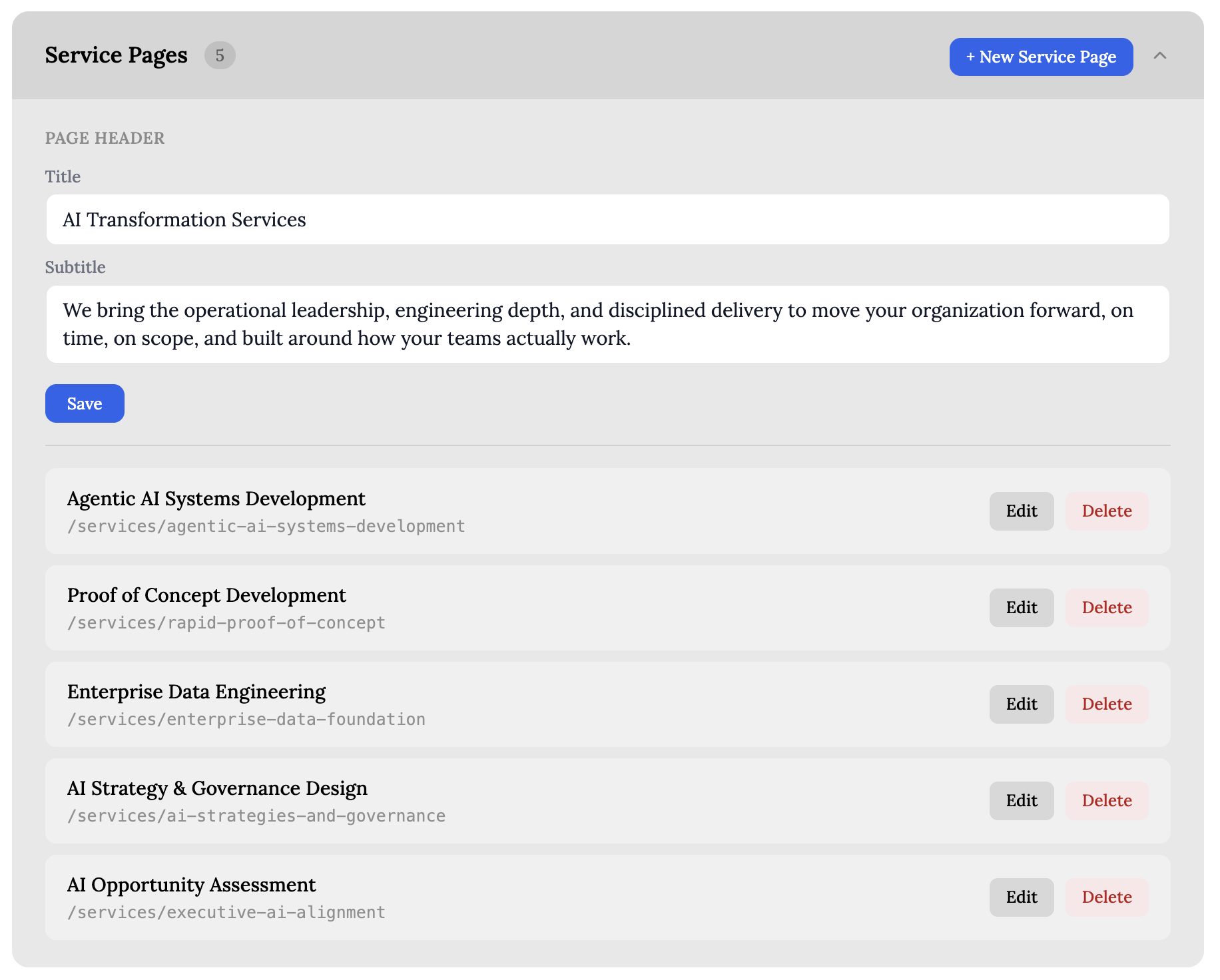
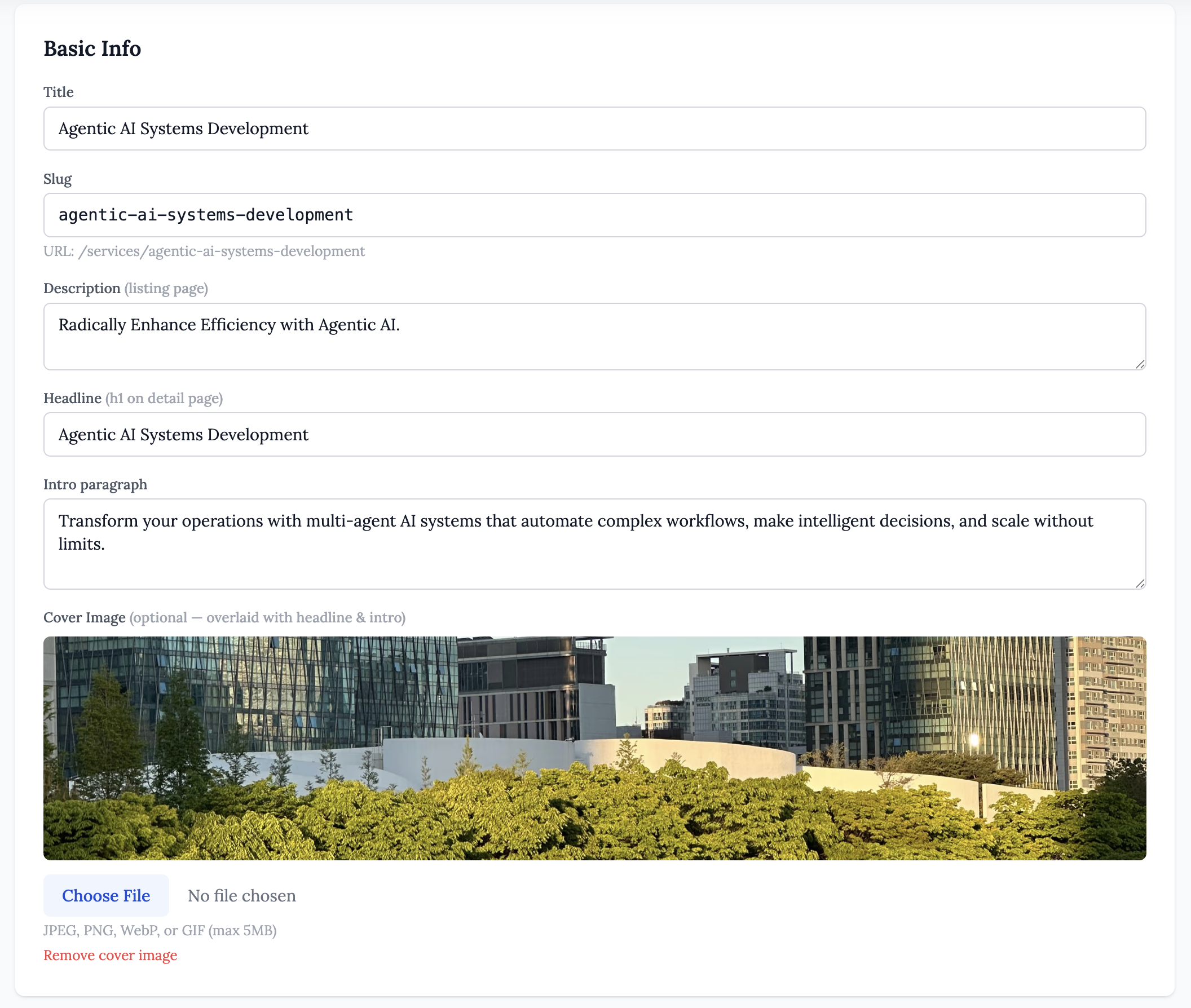
Figure 3: Example of Managing our List of Service Pages.
Use Cases
Our Use Cases section is a full post engine where we demonstrate expertise, share results, and give prospective clients something worth reading. Every post is independent. Write it, refine it, and publish only when it is ready.
Here are some of the controls we have on each post:
A cover image upload with a built-in crop tool enforcing 16:9 framing so every post looks consistent across the carousel and listing.
A full rich text editor supporting headings, inline images, and formatted lists.
Author attribution so every post is tied to the account that created it.
Draft and publish toggle so work in progress is never exposed to visitors.
A confirmation dialog before publishing or deleting so nothing goes live or disappears by accident.
The admin works on any device. When an idea comes up on the road or on a phone, we can write, edit, and publish on the spot without waiting to get back to a desk.
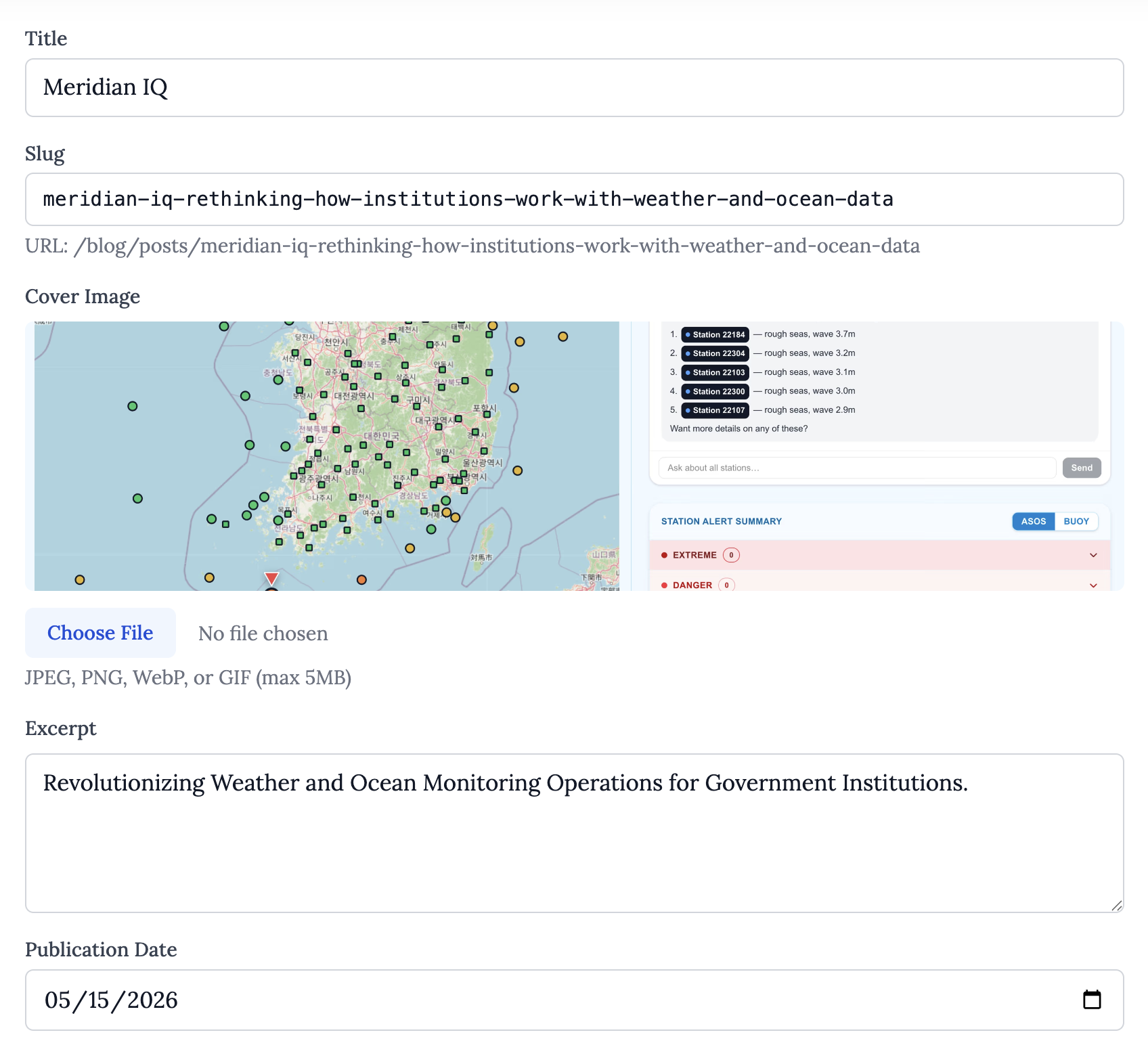
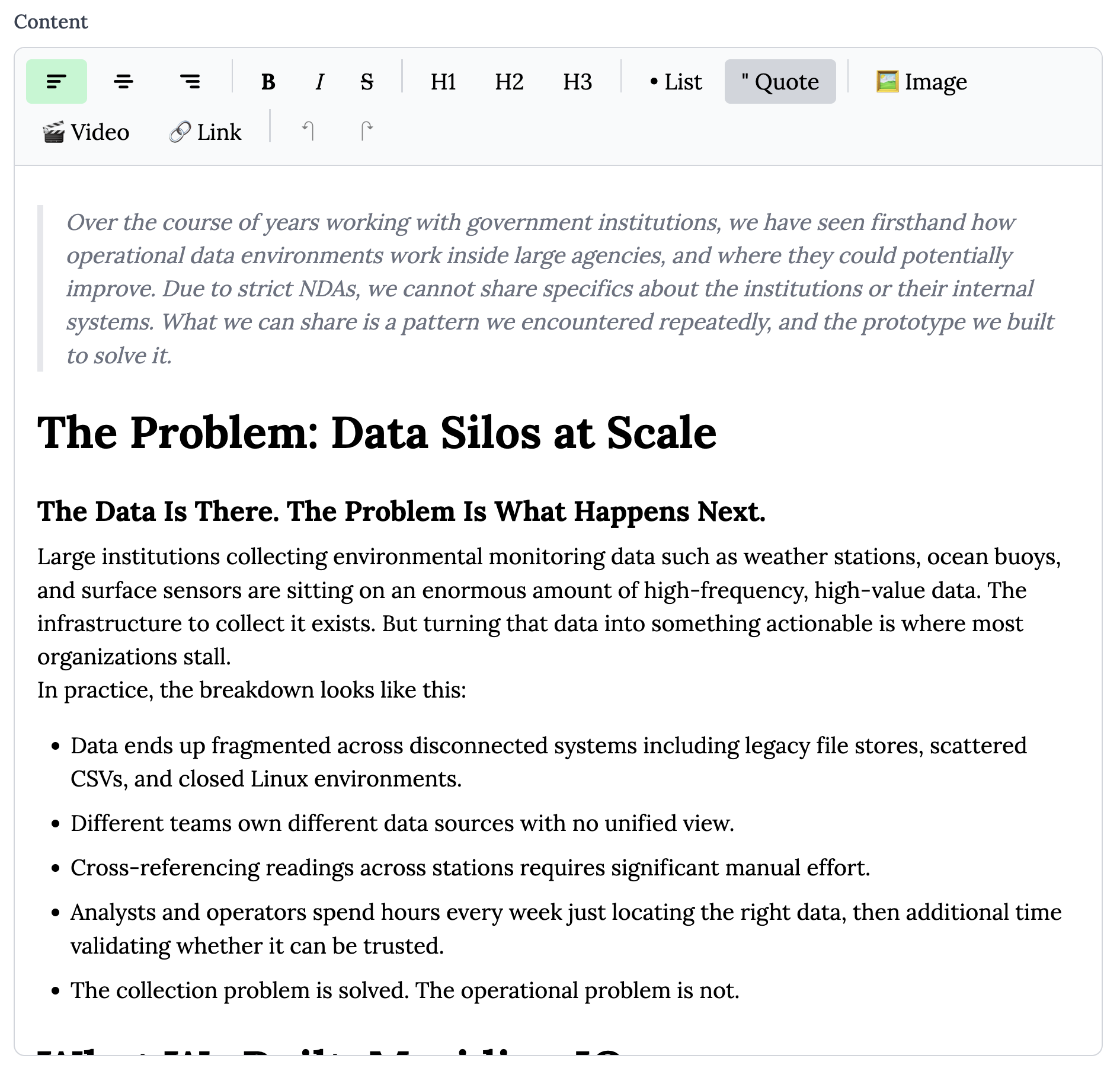
Figure 4: Example of Managing our Use Cases.
Team Members
Our team page is managed as individual profiles, not a static block of text. Each member has their own dedicated entry. Add it, edit it, or take it down without affecting anyone else.
Here are some of the controls we have on each profile:
Full profile fields including name, role, bio, degree, and school.
Photo upload with automatic format detection so uploads are handled cleanly regardless of file type.
Social links including LinkedIn, email, and GitHub per member.
A dedicated profile page for each member at /team/[slug] with a full bio.
Draft and publish control so new profiles stay hidden until they are ready to go live.
Admins can delete any profile while members manage only their own.
This system we built allows us to add, update, and manage team profiles from any device, anywhere, at any time.
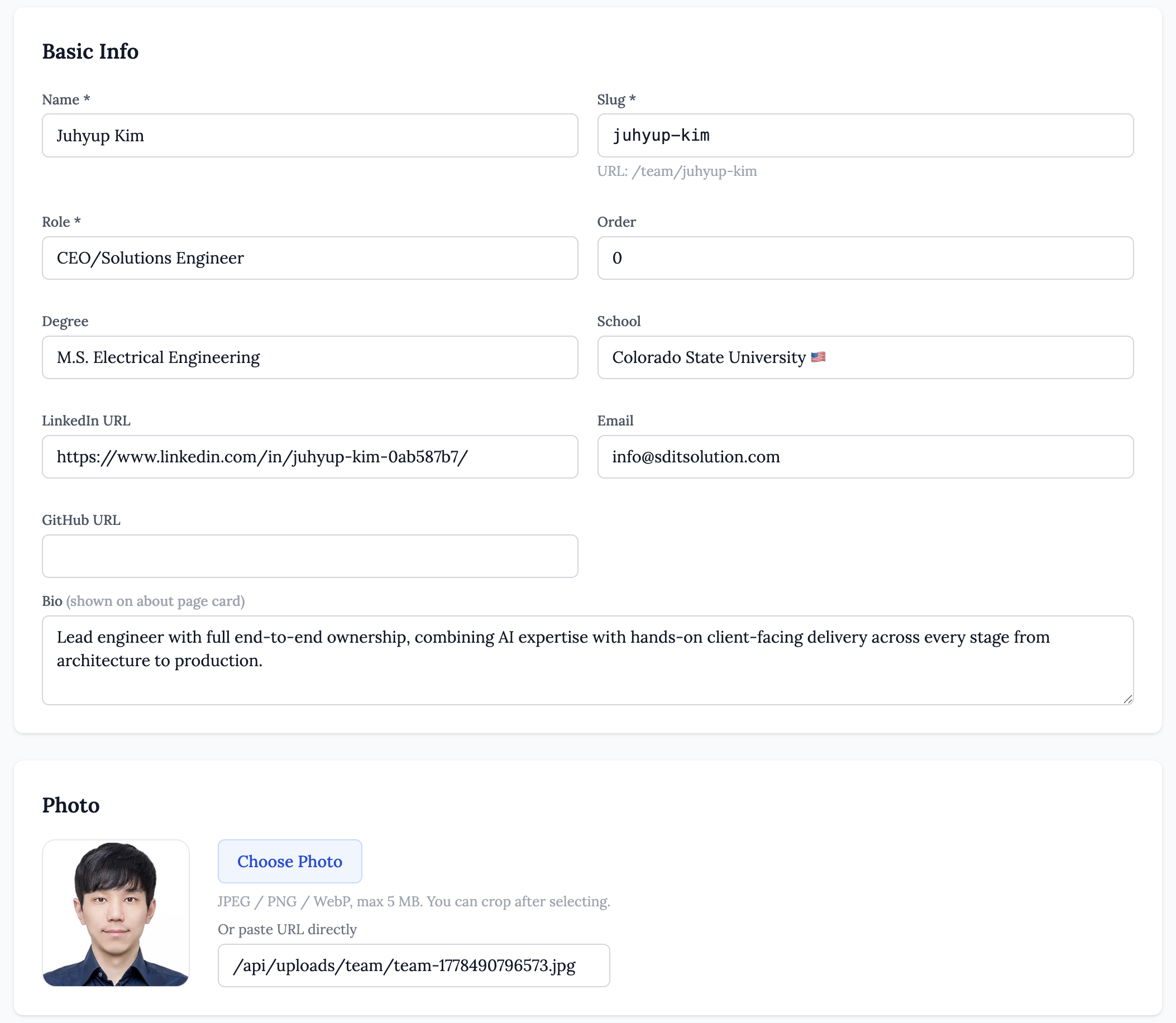
Figure 5: Example of Managing our Team Member Details.
Other Pages (Contact Page, CTA Section, Footer)
The contact page, CTA section, and footer are all editable from the admin. No code, no redeployment, no waiting.
Contact page fields include headline, body text, email, phone, office address, map embed, and social links. A built-in contact form sends directly to our inbox with no third-party service required.
The CTA block appears across services, use cases, team profiles, and the about page. One edit from the admin updates it everywhere.
Footer fields include email, LinkedIn, business address, copyright name and year, business registration label and number, and legal text. Everything most platforms lock away is editable here.
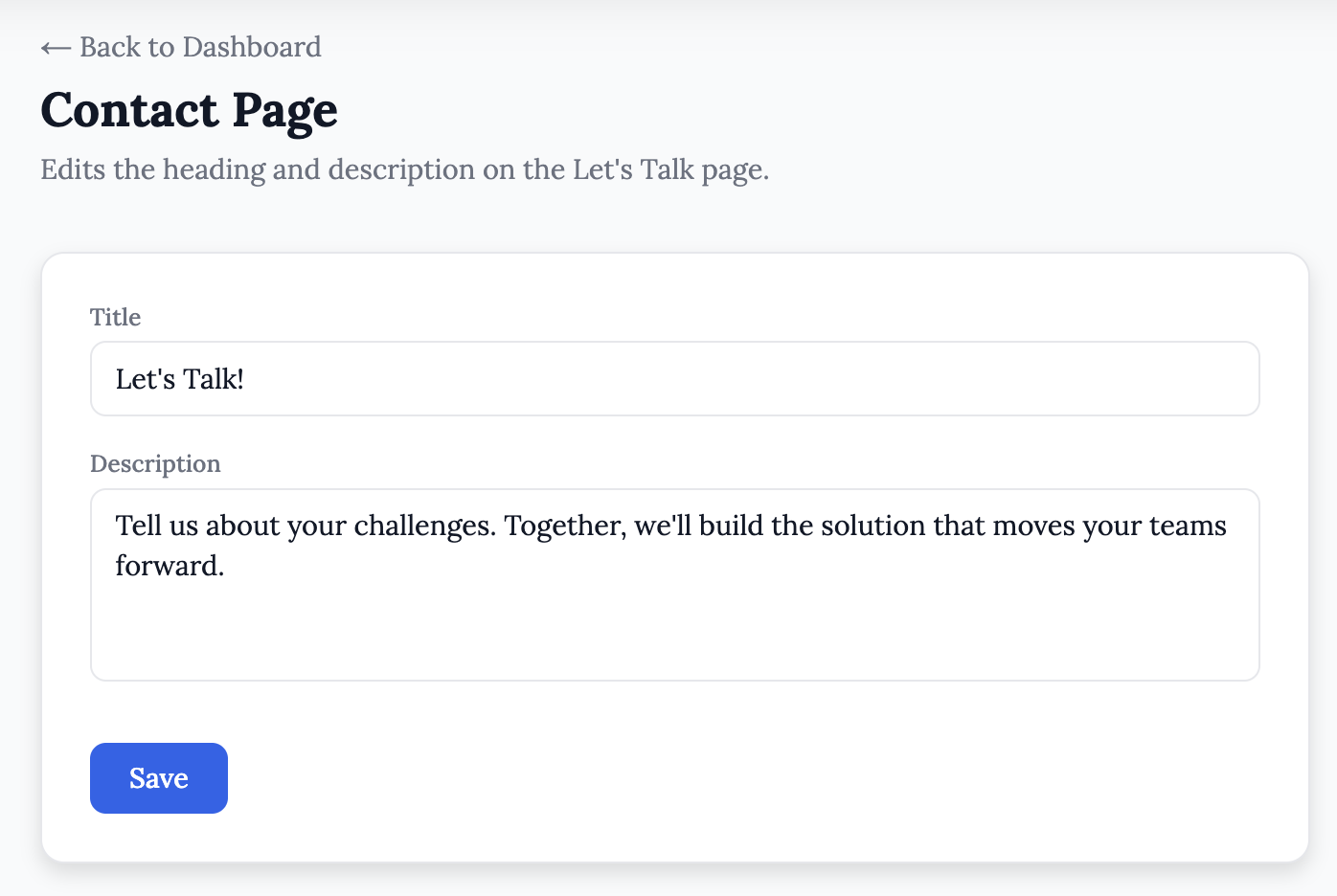
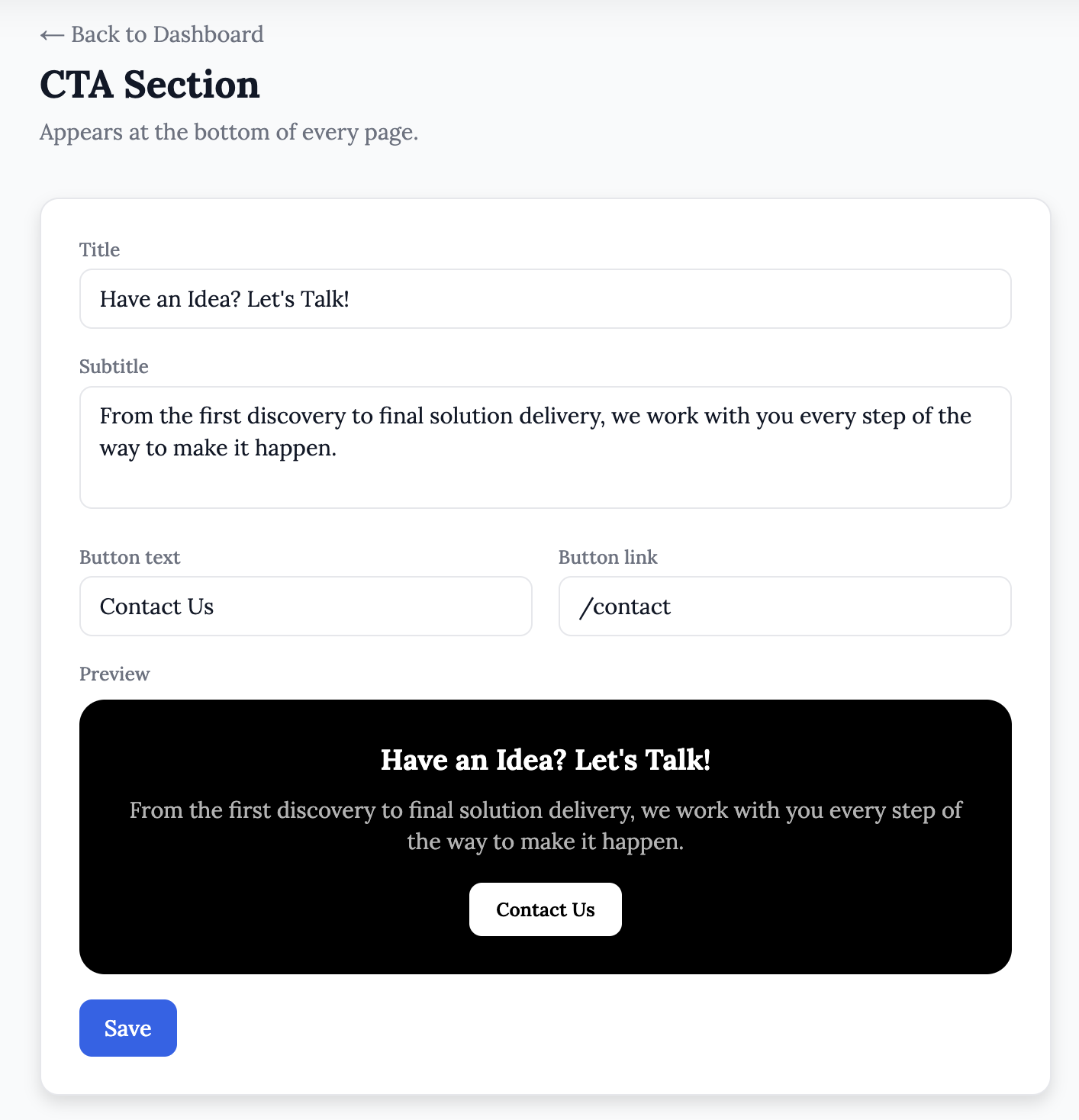
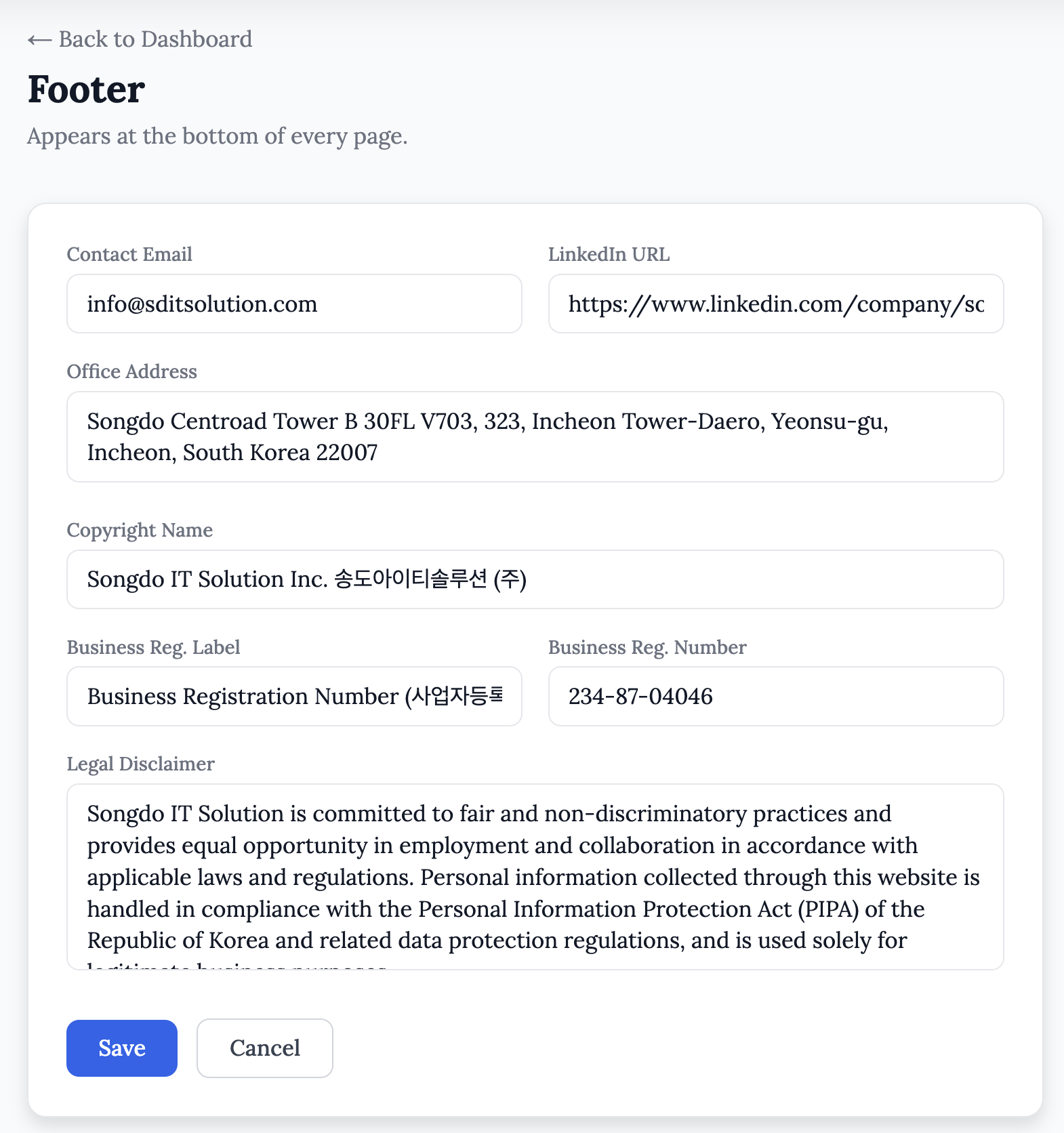
Figure 6: Example of Managing our Contact Page, CTA Section, and the Footer of our Website.
Proper Authentication. Strict Access Control. No Exceptions.
Before any content gets touched, the system verifies who you are and what you are allowed to do. We did not bolt security on at the end. It is the foundation.
Secure login with credentials validated server-side using encrypted session tokens. No plaintext passwords, no cookie tricks.
Role-Based Access Control (RBAC) with two tiers out of the box.
Administrators can see and edit everything including all service pages, all posts, all team members, and all settings.
Users can only edit content they personally created, so a junior team member can publish a blog post without being able to accidentally delete someone else's work.
Protected admin routes where every admin page checks session status server-side before rendering. There is no URL you can type to sneak past it.
User management so admins can add new accounts, assign roles, and remove access without touching any code.
Profile pictures so each account has a photo, making it clear at a glance who is logged in and managing what.
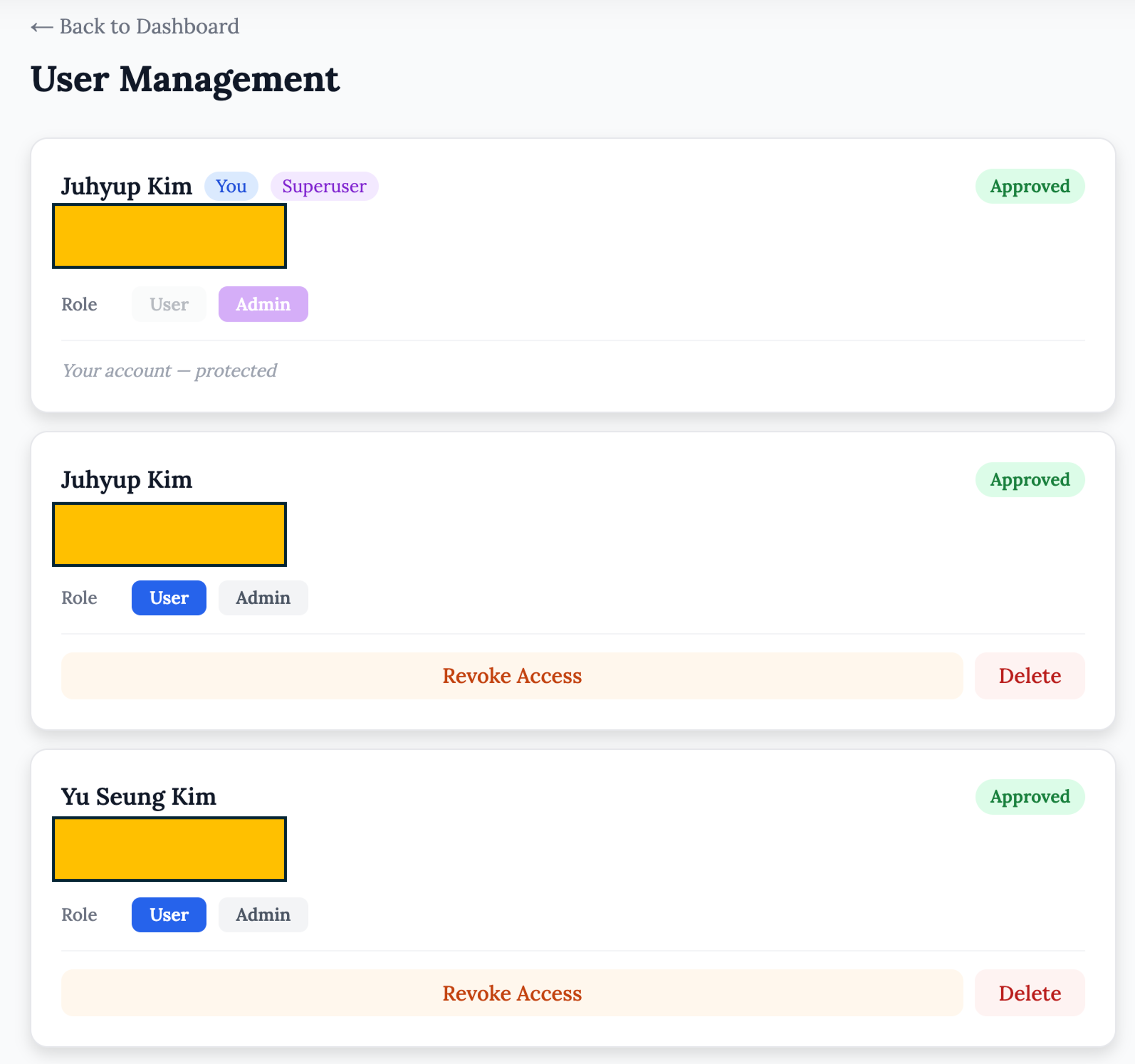
Figure 7: Role-Based Access Control (RBAC) Dashboard.
What This Means for our Clients
As you have probably noticed, we built our own CMS because we needed it. We did not buy a template, we did not stitch together plugins, and we did not compromise on how it works. We built it, we run our business on it, and it works very well.
When we build a system for a client, the same principles apply. Here is what you can expect:
Full ownership. The code is yours; the database is yours, and the hosting is yours. No vendor lock-in, no monthly SaaS fees for something you could own outright.
Editors without developers. Your team can update pages, publish posts, or swap copy on a Friday afternoon without filing a ticket.
Controlled access. Multiple team members can have accounts with appropriate permissions and you always know who changed what.
Built to your workflow. We scope and build around how your team operates, not around a template designed for a thousand different businesses.
We Use It. We Trust It. We Will Build It for You.
This is not a demo. The website you are reading right now runs on the exact system described above. Every service page, every post, every team profile was published through the same admin we would hand to your team.
What we build for you will not be a copy of this. It will be scoped to your content, structured around your team, and built to match how you work. Same principles, built for you.